
Why Black Friday Matters for Hotels, and How to Launch a Popup in 6 Easy Steps
By RateParity · November 14, 2026
Black Friday is your chance to win direct bookings before the holiday season, and every hotel can take part. A popup on your hotel website puts your offer in front of every visitor. With RateParity, any hotel can launch one in minutes, with a countdown and a booking button that links to your booking engine. No technical skills needed.
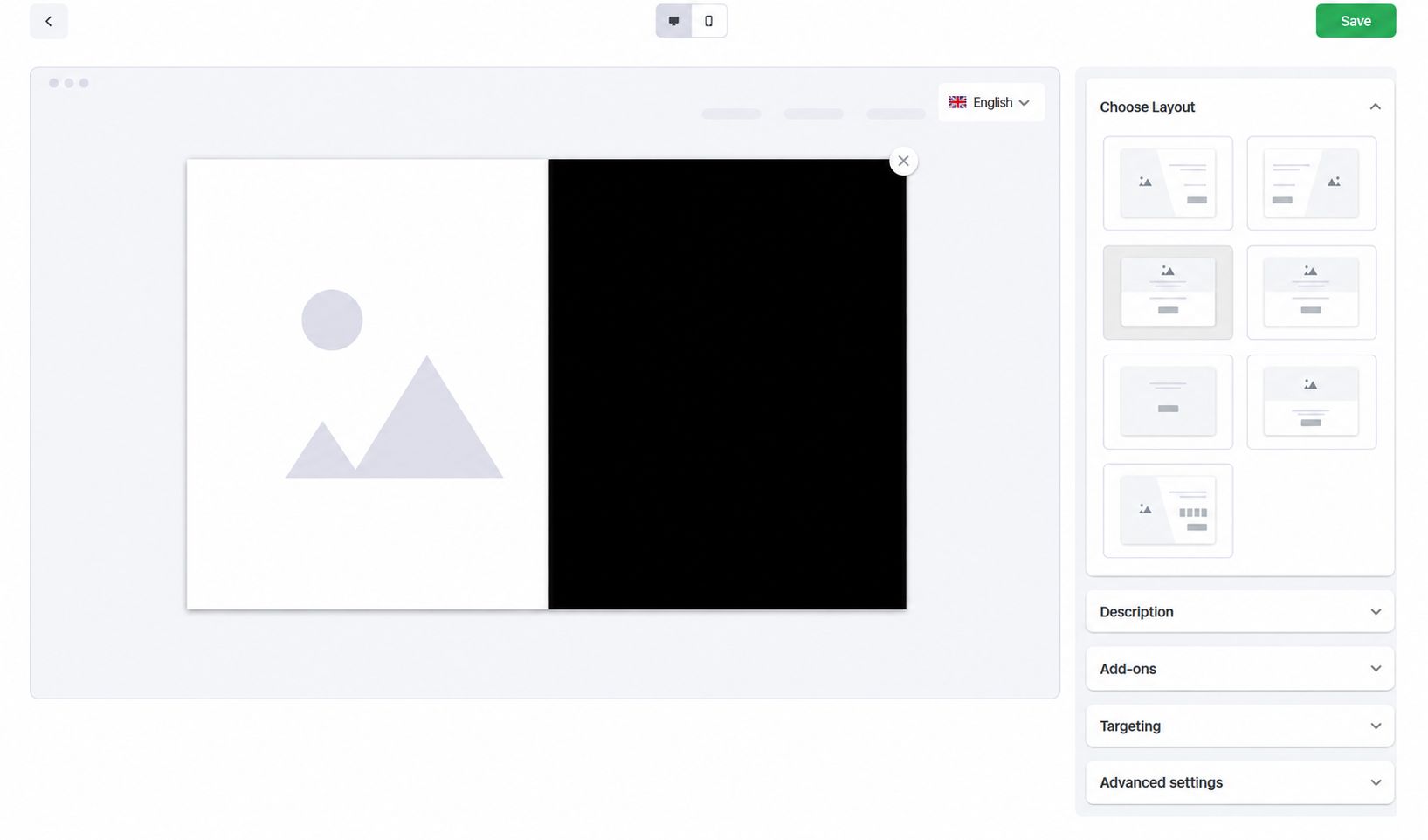
Step 1: Choose a layout
Pick centered, left-aligned or diagonal split. The preview updates instantly, so you can see how the offer looks before anything goes live.
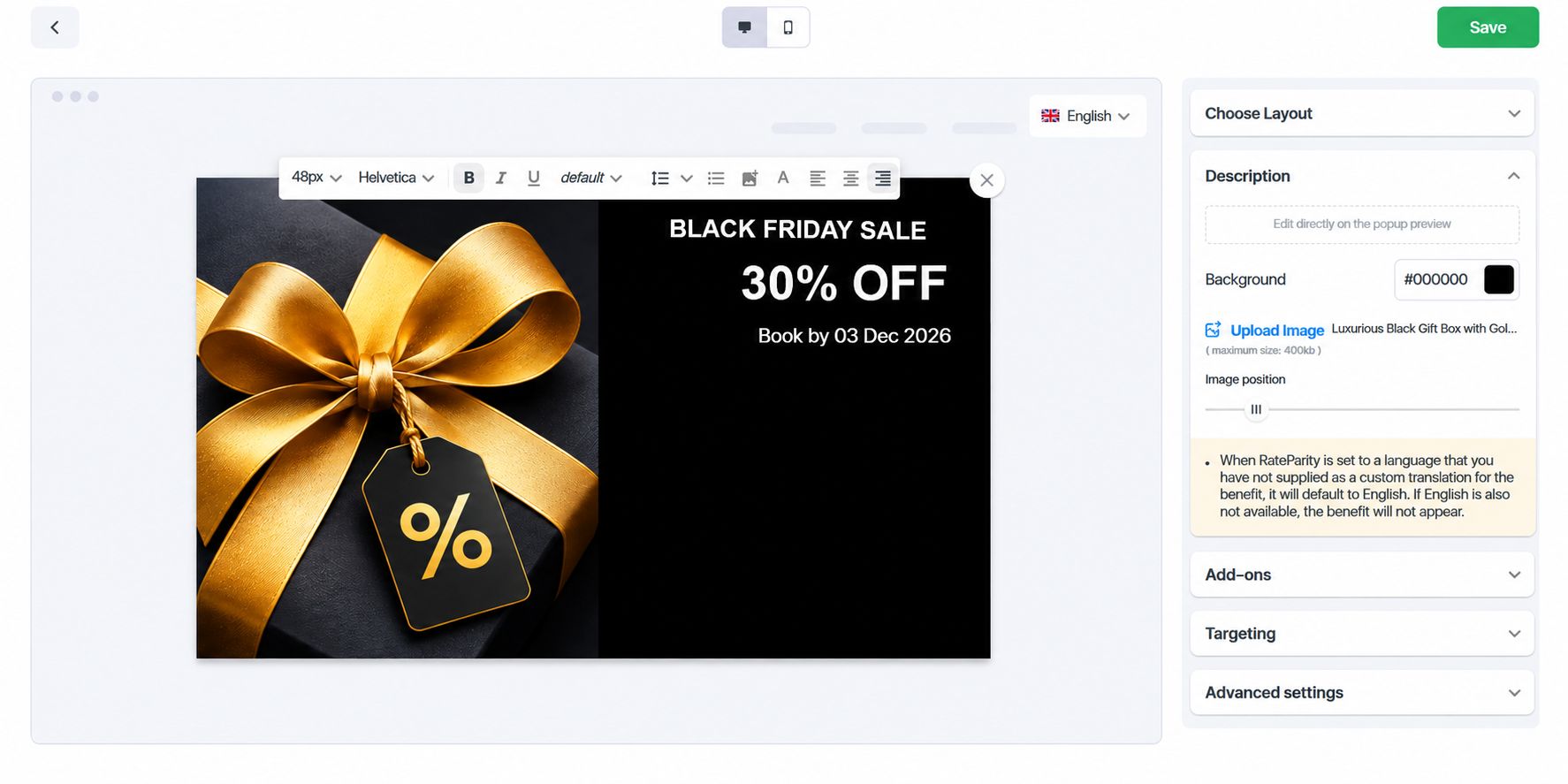
Step 2: Add your text and image
Edit the text directly on the popup. Upload a JPG up to 400 KB and add translations so international guests read the offer in their own language.
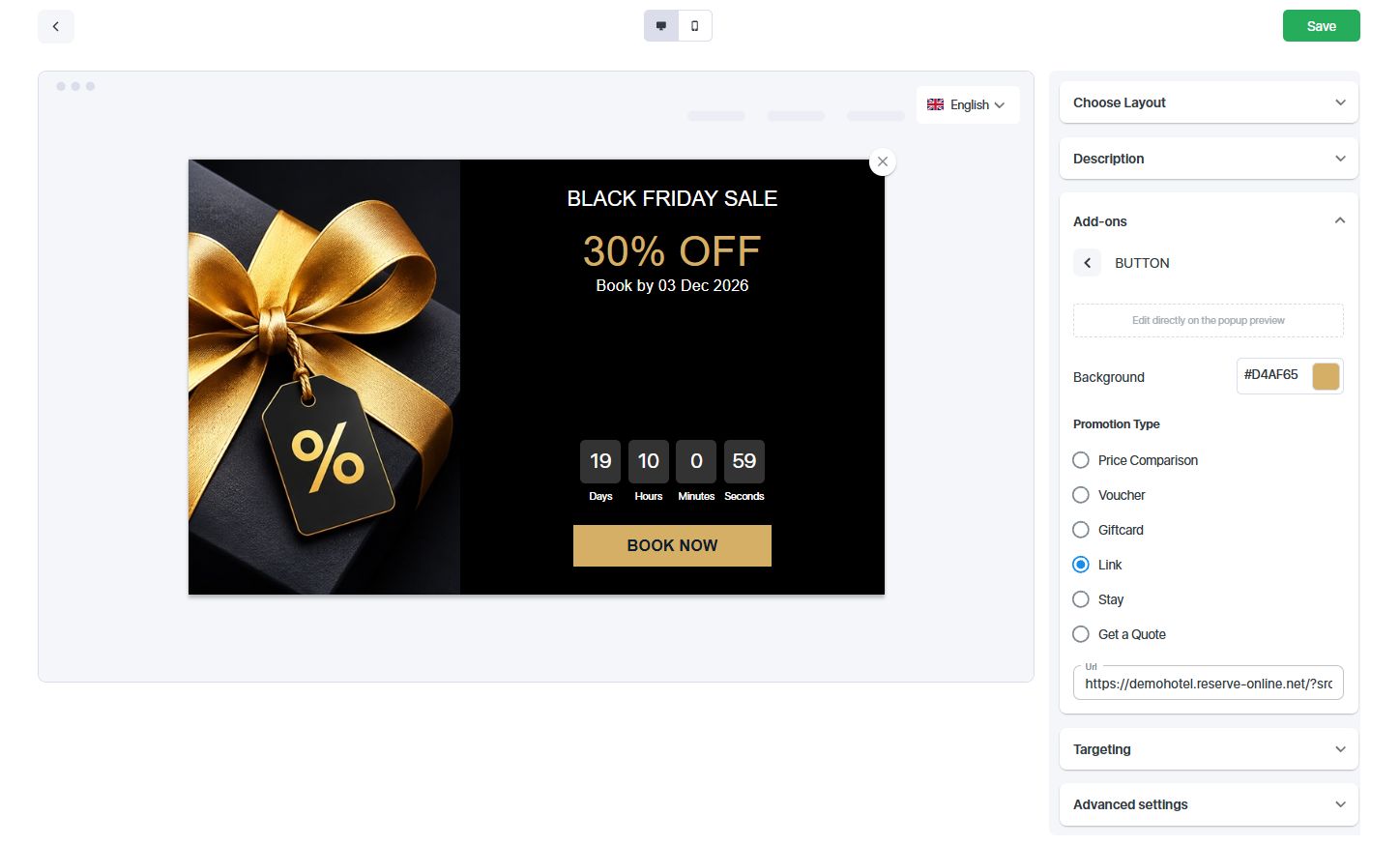
Step 3: Add a booking button
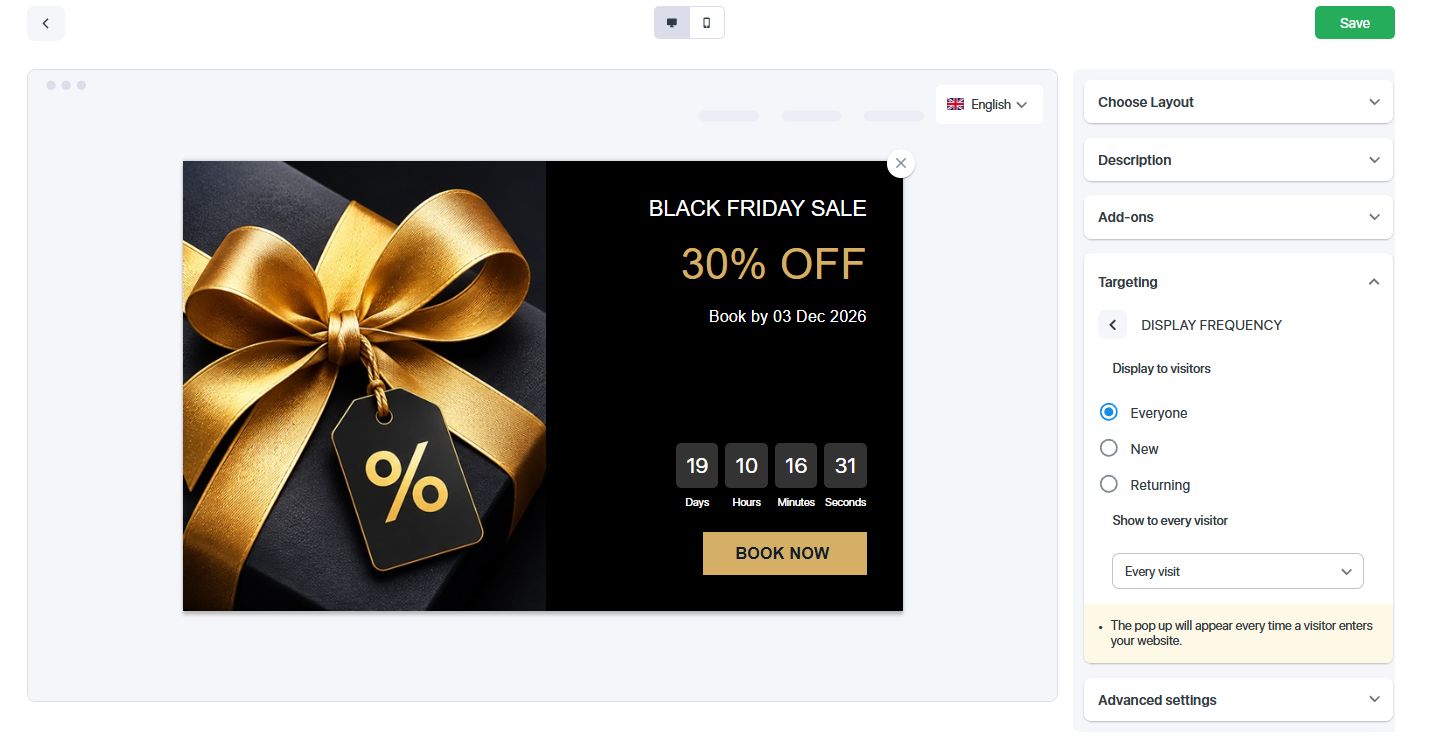
Switch the booking button on, set its label and link it to your booking engine. Visitors go from the offer straight to direct booking.
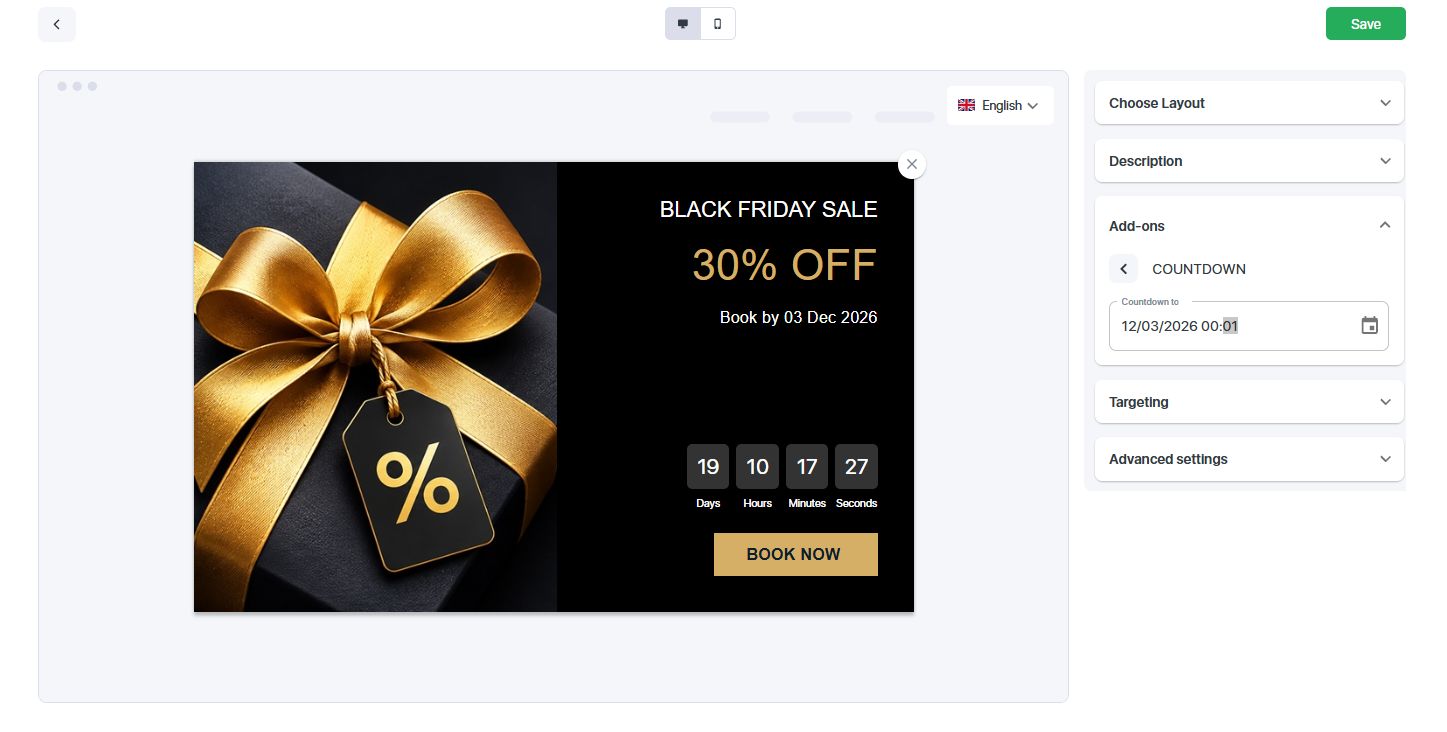
Step 4: Add a countdown
Set an end date and the popup shows live days, hours and minutes. A clear deadline gives guests a reason to book now.
Step 5: Set who sees it and how often
Show the popup to everyone, new visitors or returning visitors. Display it on every visit, once per session or on a specific date and time.
Step 6: Save and switch it on
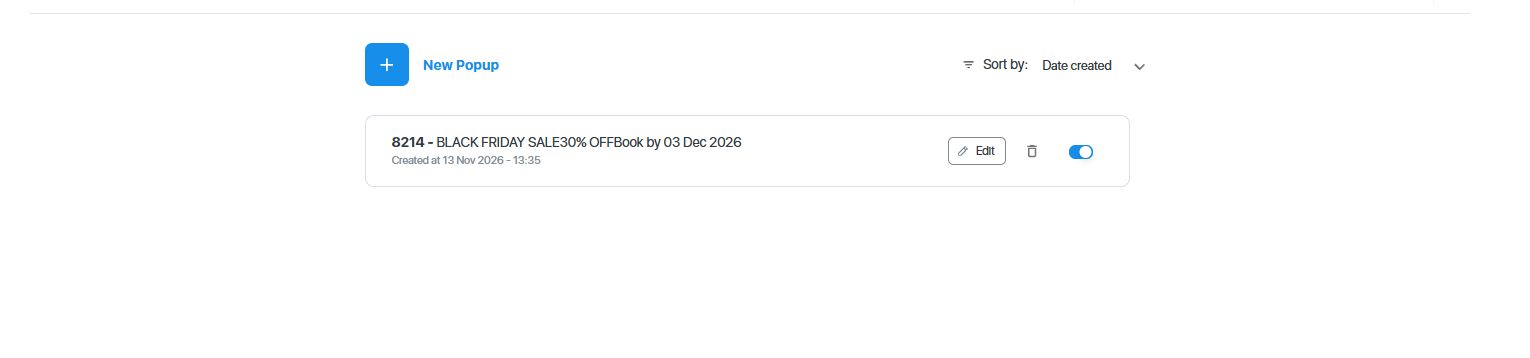
Click Save, return to the popup list and switch the status to ON. Your Black Friday popup is live.
Frequently asked questions
How long does it take to create a Black Friday popup?
The setup takes six steps and usually only a few minutes.
What image format can I upload?
Use a JPG up to 400 KB.
Can I show the popup in several languages?
Yes. You can add translations to the popup content.
Can I choose who sees the popup?
Yes. Show it to everyone, new visitors or returning visitors, on every visit, every session or at a specific date and time.
Ready to launch your Black Friday campaign? Book a demo and see how RateParity helps you win more direct bookings.